A repository drawn as a pixel farm — in your terminal, in your README, and back through its own history.
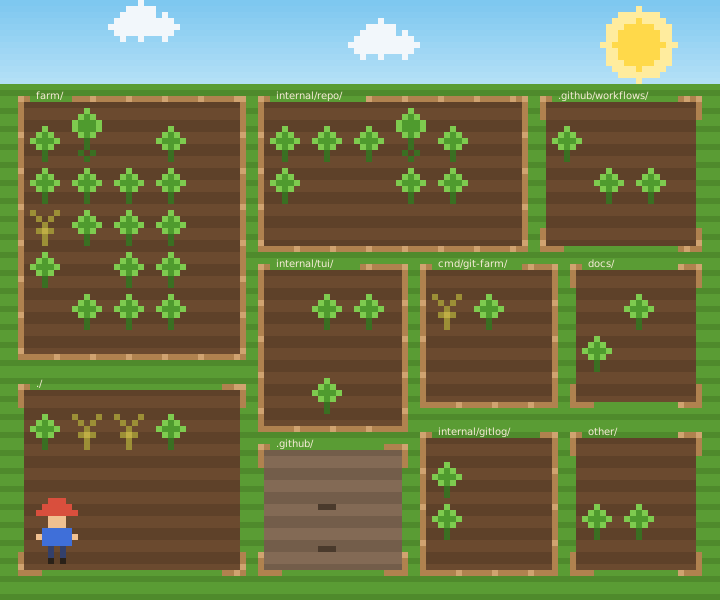
Every farm on this page, in either theme. At night the sun is a crescent moon, the sky
fills with stars, and the farmer carries a lantern — --night=auto turns it on
by itself when the last commit was made after its author’s own midnight.
No server, no account, no network. It runs git log in the folder you are standing in and draws a picture.
It looks like a toy
It is really a code health map. Three of the things it draws are true and useful, and the rest is weather. Every mark is a rank inside your repository, never a fixed number — “more than forty commits is a hotspot” makes a small project look immaculate and a large one look doomed.
That last one matters more than it looks. The fence is the one claim that can be wrong in public, on somebody else’s README — so a directory of SQL migrations gets no verdict at all rather than a wrong one.
In the terminal
The quiet theme paints no sky, no grass and no soil, so your session shows through and the farm sits in the terminal rather than covering it. Truecolor degrades to 256, to 16, to none — and it still reads without any colour at all, because the plants are held apart by silhouette before colour.
Two palettes, because a file cannot ask its reader whether the page behind it is light or dark. This starts on whichever your system is set to — and the Day/Night switch above works on this one too, so there are four farms here.
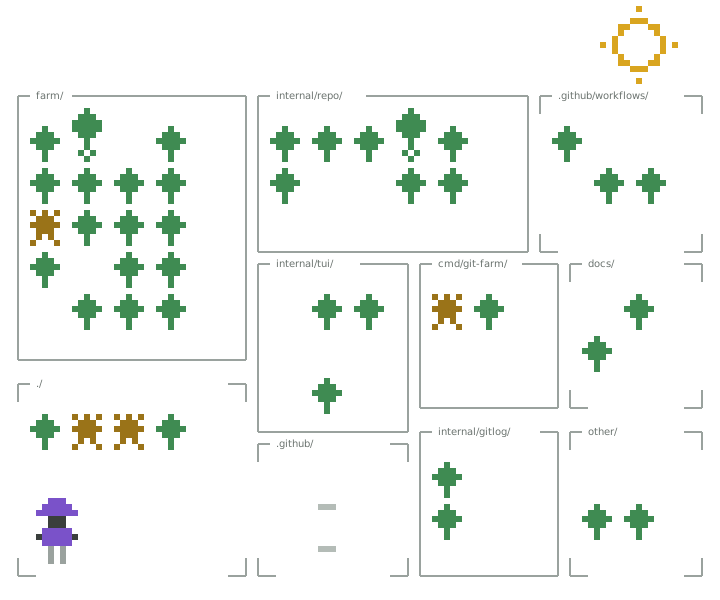
quiet.In your README
Every row is cut into runs of one colour and every rectangle of one colour goes into a single
<path>: a 120×72 farm is 8,640 pixels and comes out as about seventy elements.
The names are real <text>, the fences are real strokes, and the farmer walks on
CSS keyframes — never a <script>, which GitHub strips.
Two files, because a file cannot ask its reader whether the page is light or dark. The same bytes every time, so a re-run over an unchanged repository is genuinely a no-op.
Add two files and a GitHub Action keeps it up to date on every push:
# .github/workflows/farm.yml
- uses: actions/checkout@v5
  with: { fetch-depth: 0 }

- uses: bright98/git-farm@v0.3.0
  with:
    out: farm.svg
    theme: full
    night: auto

# then force-push farm.svg to an orphan branch: one commit, forever
The picture goes on a branch with no history, force-pushed, so your main never fills
with “update farm”. The Action downloads a released binary and checks it against the release’s
checksums.txt before running anything.
Walk around it
The picture answers what shape a repository is. This answers the next question, which is which file. A cursor moves between fields; enter opens one and the cursor runs down its files, worst first — churned, deleted, quiet, big, the rest. That is the same order the picture uses to decide what a square shows, so the list is the field’s own reasoning written out.
  internal/gitlog/ — healthy, tests found · 2 files
  internal/gitlog/  2 files, worst first
  ──────────────────────────────────────────────────────────────────────
▸ ✦ gitlog.go                          379 lines    4 ✎   1 ✍  today
  ✦ gitlog_test.go                     223 lines    2 ✎   1 ✍  today
The cursor is a mark and not only a colour, because --no-color, a dumb
TERM and a pipe all paint nothing — and a farm you cannot find your cursor in is not
navigable.
The whole history, played back
The layout is computed once and never again. Every frame pours its own crop into the same fields, so what moves is the crop and not the ground — re-running the treemap per frame would re-flow the farm whenever a directory appeared, and the eye would follow the rearranging instead of the growing.
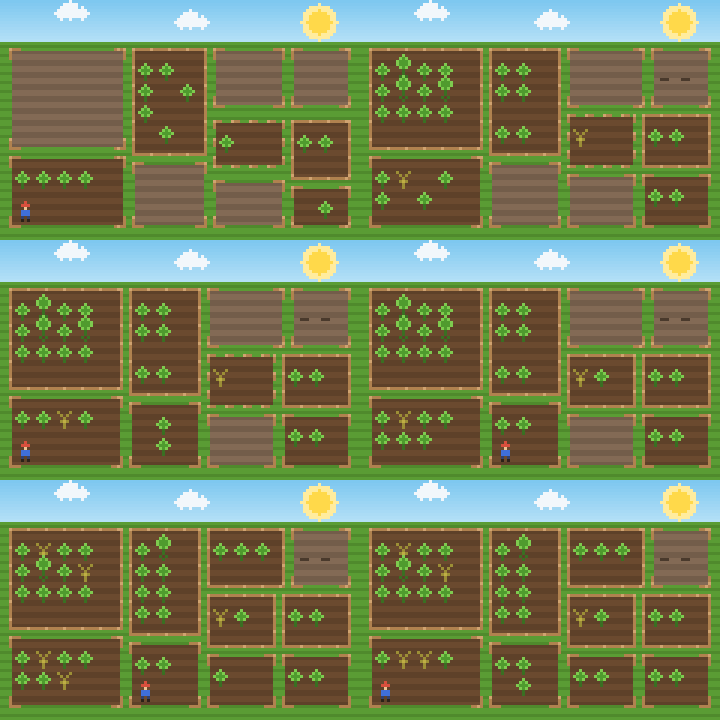
A field for every directory the history ever had, sized by the biggest it ever was. Sizing from HEAD is the obvious thing, and it hides the most interesting half: a directory that grew for two years and was deleted last month would never appear, grow, or die.
What it refuses to do
Four cases produce a farm that is quietly wrong, so they produce an error instead: not a git repository, a repository with no commits, a shallow clone, and a window too small to read.
| Claim | How it is decided |
|---|---|
| big | lines in the top 10% of files in this repository |
| weed | commits × distinct authors in the top 10% |
| quiet | no commit has touched it for more than a year |
| deleted | in the history, but not in the HEAD tree |
Time is measured back from the newest commit, never from today — so two runs a week apart over the same commit draw the same farm.